
OpenWRT 1,9761,976
Node Exporter scripts
Install the following packages on your OpenWRT router using opkg install:
prometheus-node-exporter-lua
prometheus-node-exporter-lua-nat_traffic
prometheus-node-exporter-lua-netstat
prometheus-node-exporter-lua-openwrt
prometheus-node-exporter-lua-wifi
prometheus-node-exporter-lua-wifi_stations
Exporter Config
Once you installed the prometheus node exporter Lua scripts, you will need to make the x.x.x.x:9100/metrics end-point available to your routers' LAN interface, otherwise your Prometheus server can't fetch the data.
SSH to your OpenWRT router. Edit the following file using vi /etc/config/prometheus-node-exporter-lua. And update/add the last line to the end, of course use the right indentation:
option listen_interface 'lan'
Then restart the exporter: /etc/init.d/prometheus-node-exporter-lua restart
Prometheus Config
In Prometheus (server/Grafana side) you need to add a new job scrape config (at the end of the file) /etc/prometheus/prometheus.yml, assuming your router is at 192.168.1.1:
- job_name: "OpenWRT"
  static_configs:
    - targets: ["192.168.1.1:9100"]
As you can see no need to add "/metrics" to the end of the URL, /metrics is the default end point that Prometheus will use. Just provide the IP address with the port number.
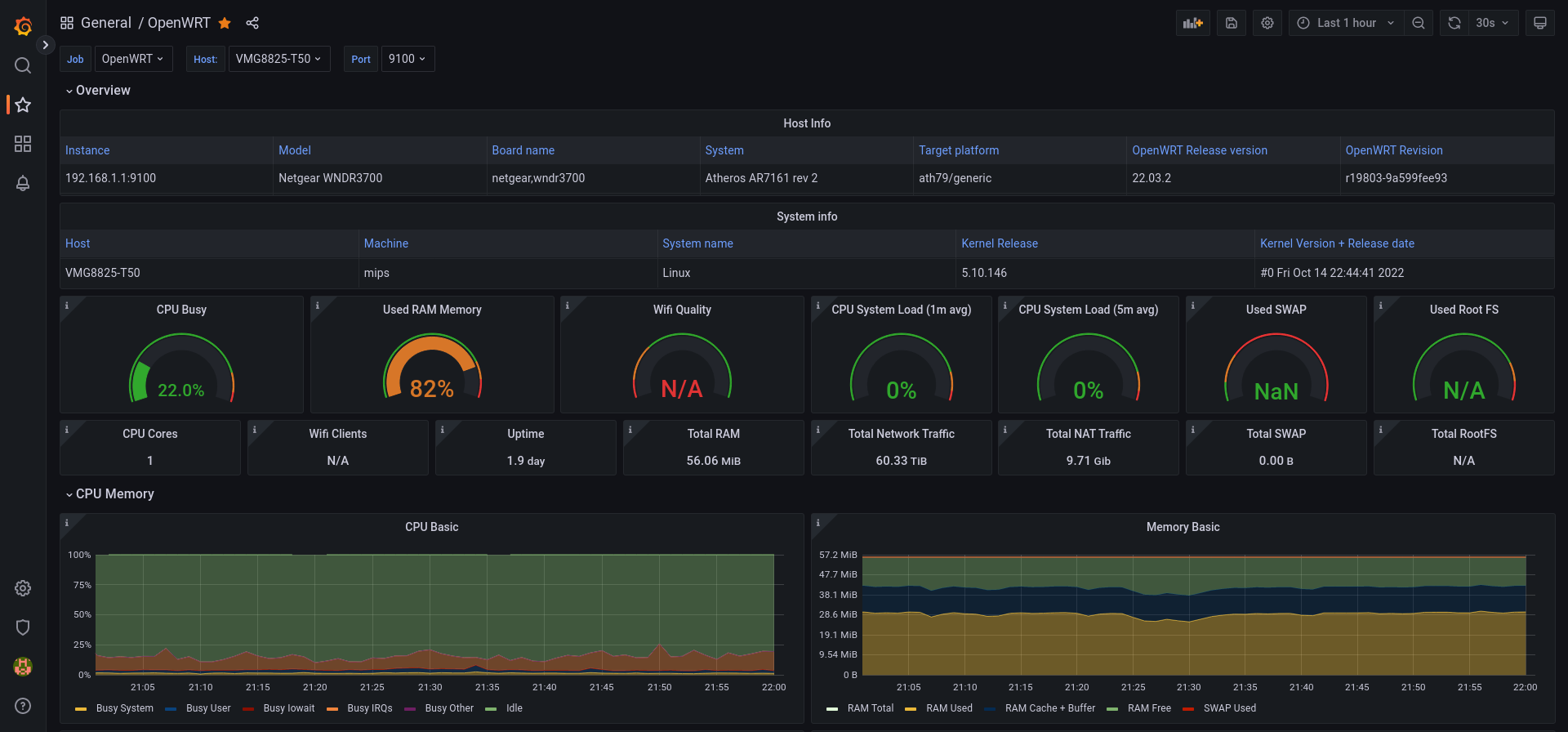
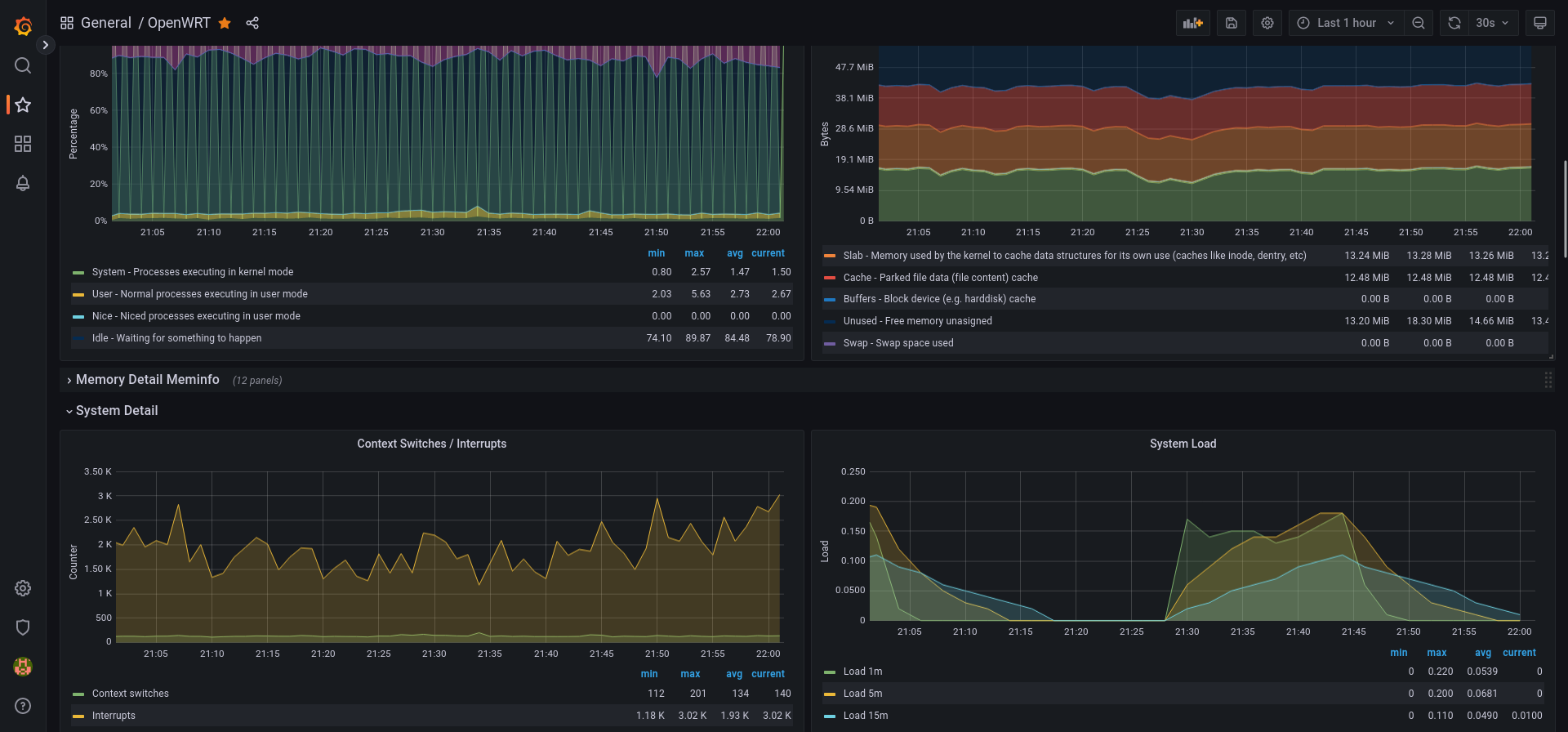
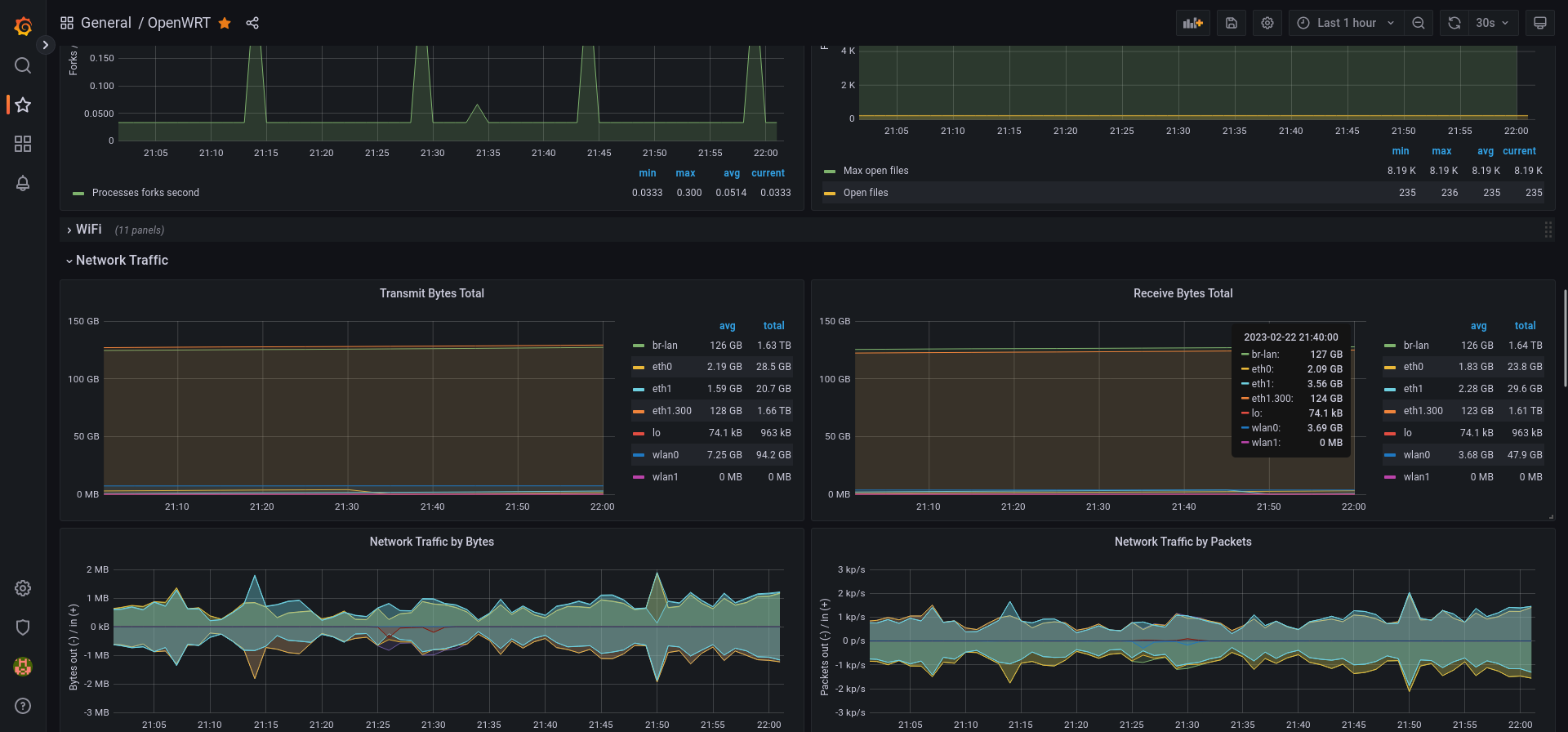
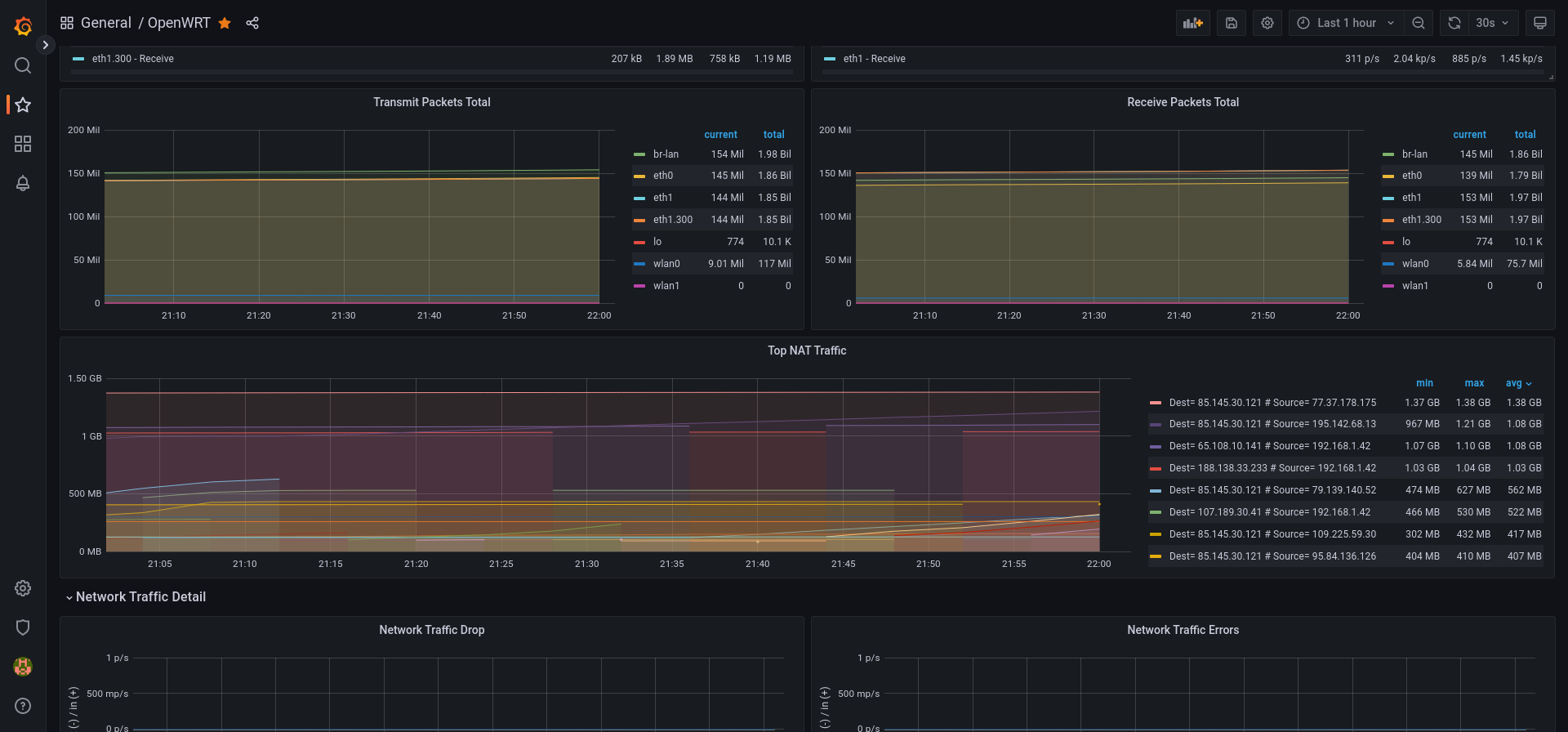
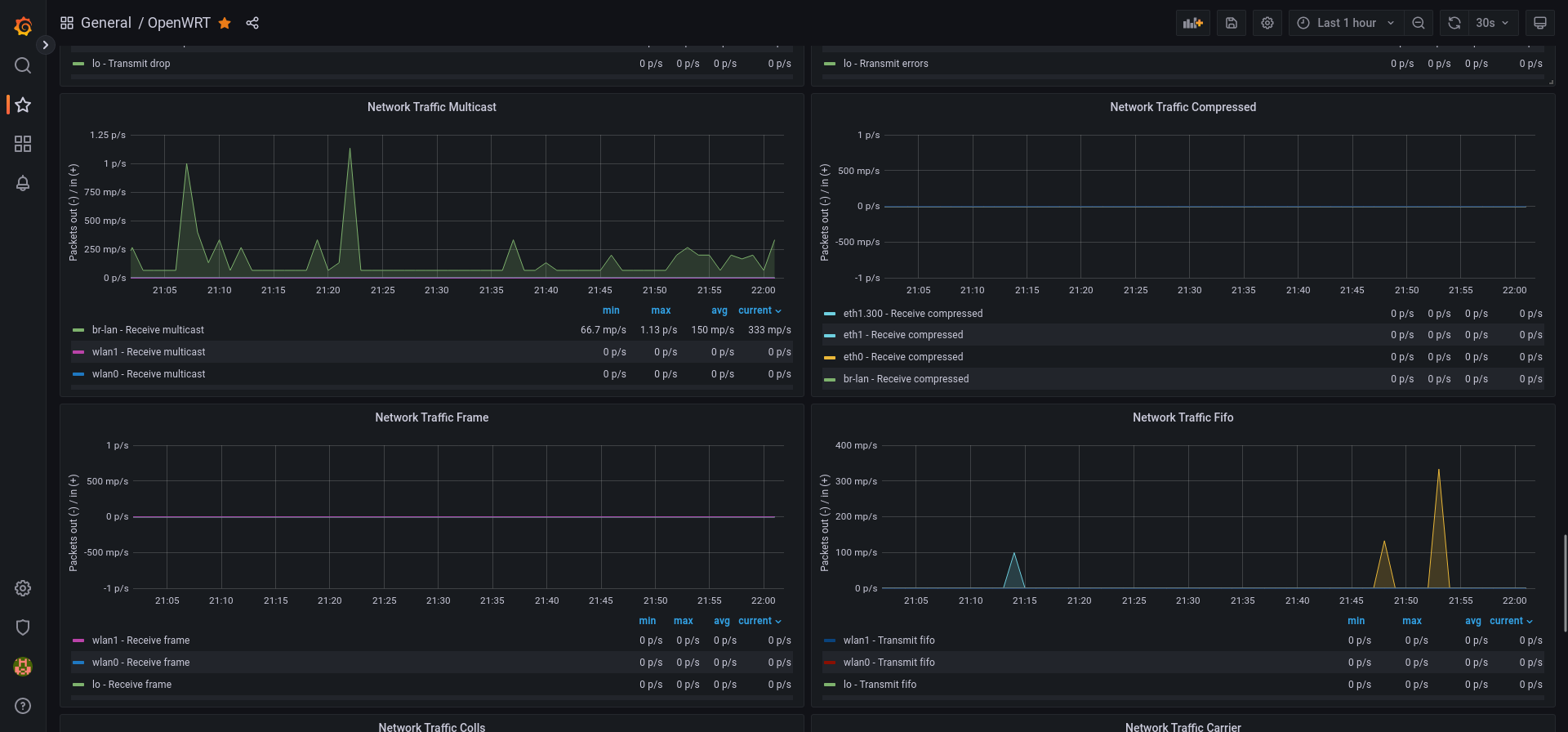
Used Metrics 5454
node_openwrt_info
-
node_uname_info
-
node_cpu_seconds_total
-
node_memory_MemTotal_bytes
-
node_memory_MemFree_bytes
-
node_memory_MemAvailable_bytes
wifi_network_quality
-
node_load1
-
node_load5
-
node_memory_SwapTotal_bytes
-
node_memory_SwapFree_bytes
-
node_filesystem_avail_bytes
-
node_filesystem_size_bytes
wifi_stations
node_nat_traffic
-
node_time_seconds
-
node_boot_time_seconds
-
node_network_transmit_bytes_total
-
node_network_receive_bytes_total
-
node_memory_Cached_bytes
-
node_memory_Buffers_bytes
-
node_memory_Slab_bytes
-
node_memory_PageTables_bytes
-
node_memory_SwapCached_bytes
node_memory_HardwareCorrupted_bytes
-
node_context_switches_total
-
node_intr_total
-
node_load15
-
node_forks_total
-
node_filefd_maximum
-
node_filefd_allocated
wifi_network_noise_dbm
wifi_network_bitrate
wifi_station_expected_throughput_kilobits_per_second
wifi_station_inactive_milliseconds
wifi_station_signal_dbm
-
node_network_transmit_packets_total
-
node_network_receive_packets_total
topk
s
-
node_network_receive_drop_total
-
node_network_transmit_drop_total
-
node_network_receive_errs_total
-
node_network_transmit_errs_total
-
node_network_receive_multicast_total
-
node_network_receive_compressed_total
-
node_network_transmit_compressed_total
-
node_network_receive_frame_total
-
node_network_receive_fifo_total
-
node_network_transmit_fifo_total
-
node_network_transmit_colls_total
-
node_network_transmit_carrier_total
node_nf_conntrack_entries
node_nf_conntrack_entries_limit